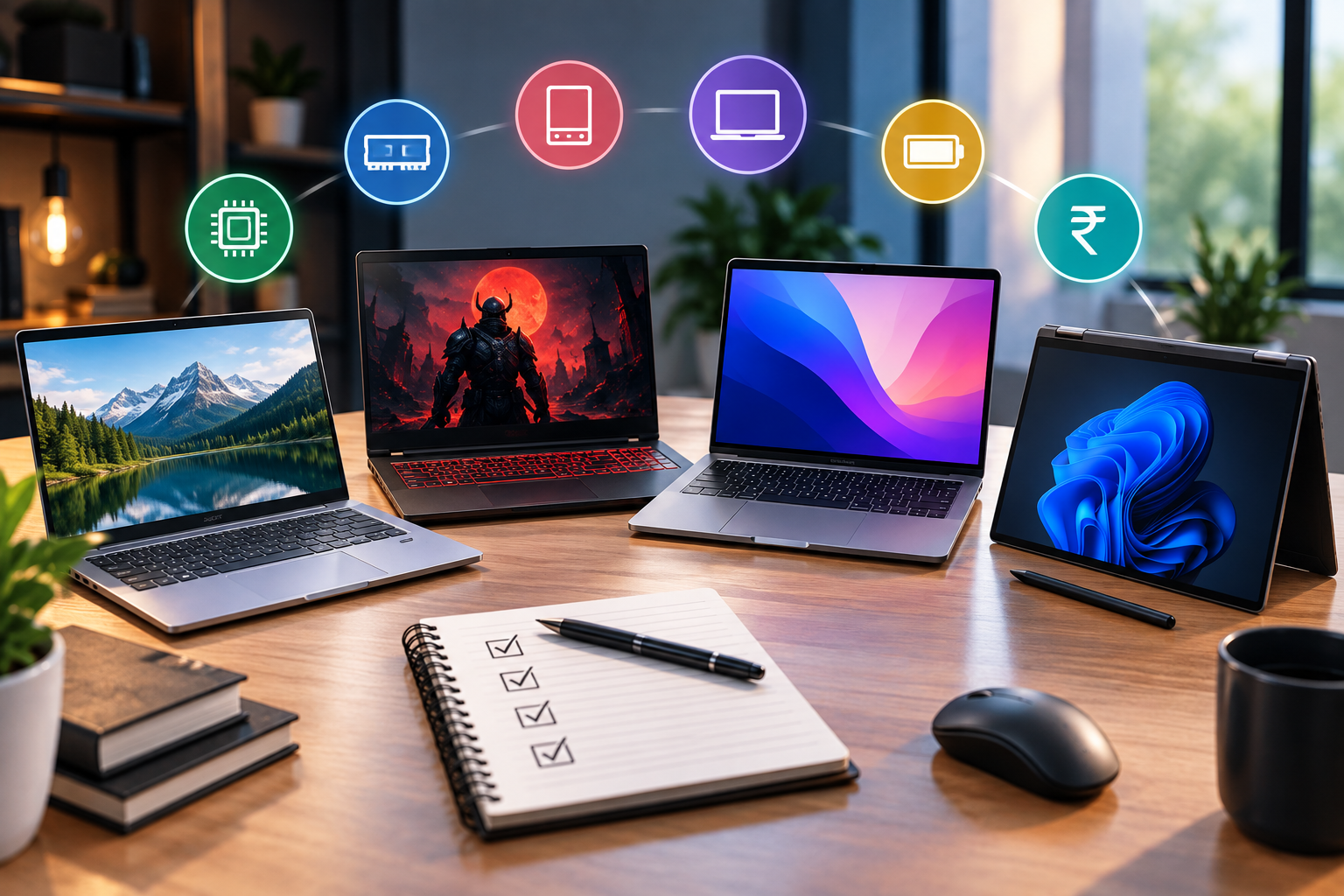
Laptop Buying Guide 2026: How to Choose the Right Laptop for You
Buying a laptop isn't as simple as it used to be.
Open any online shopping website and you'll find hundreds of laptops with different:
- Processors
- RAM configurations
- SSD capacities
- Graphics cards
- Display types
- Screen sizes
- Battery capacities
- Operating systems
Then come the confusing names:
Core i5, Ryzen 5, Core Ultra, Snapdragon X, 8GB RAM, 16GB RAM, NVMe SSD, OLED, 120Hz, RTX graphics...
If you're not familiar with laptop specifications, choosing the right device can quickly become overwhelming.
But here's the good news:
You don't need to understand every specification to buy a good laptop.
You simply need to understand which specifications matter for your particular use case.
In this guide, we'll explain everything you should check before buying a laptop in 2026—from the processor and RAM to storage, display, battery, graphics and software support.
Quick Answer: How Do You Choose a Laptop?
Before buying a laptop, answer these five questions:
- What will I use it for?
- What's my budget?
- How much performance do I actually need?
- Do I need portability?
- How long do I want to use it?
Your answers are more important than the laptop's specification sheet.
For example:
A student who uses Chrome, Word and online classes doesn't need the same laptop as a video editor.
And a gamer shouldn't buy the same laptop as someone who travels every day.
What Will You Use the Laptop For?
This should be your first decision.
Don't start with:
"Which processor is the best?"
Start with:
"What do I need this laptop to do?"
1. Laptop for Students
If you're a student, you may primarily use:
- Google Chrome
- Microsoft Office
- PDFs
- Online classes
- YouTube
- Research
- Programming
- Presentations
- Video calls
You generally don't need an extremely powerful laptop.
Recommended starting point:
RAM: 8GB minimum
Storage: 512GB SSD preferred
Processor: Modern entry-level or mid-range processor
Display: Full HD or better
Battery: Good real-world battery life
If you're studying computer science, engineering or another technical subject, you may benefit from a stronger processor and more RAM.
2. Laptop for Office Work
For:
- Microsoft Word
- Excel
- PowerPoint
- Browser
- Video conferencing
- Business applications
you don't necessarily need a dedicated graphics card.
A good CPU, sufficient RAM and an SSD are usually more important.
Recommended:
8GB–16GB RAM
512GB SSD
Modern processor
Good keyboard
Good webcam
Reliable battery
3. Laptop for Programming
Programming requirements depend heavily on what you're developing.
For:
- HTML
- CSS
- JavaScript
- Python
- Java
- Basic web development
a mid-range laptop can be sufficient.
For:
- Android development
- Game development
- Machine learning
- Virtual machines
- Large development environments
you may need substantially more performance.
Recommended starting point:
16GB RAM
512GB SSD
Modern multi-core processor
For demanding workloads, consider:
32GB RAM
if your budget and workload justify it.
4. Laptop for Video Editing
Video editing is much more demanding.
If you're editing:
- YouTube videos
- Reels
- 4K footage
- Motion graphics
- Color-heavy projects
you'll benefit from:
- Strong processor
- 16GB+ RAM
- Fast SSD
- Dedicated GPU
- Good display
For professional workloads, 32GB RAM can be worth considering.
5. Laptop for Gaming
Gaming laptops have different priorities.
Focus on:
GPU
Usually one of the most important components.
CPU
Important for overall performance and certain games.
Cooling
Critical for sustained performance.
Display
Look for:
- High refresh rate
- Good response time
- Appropriate resolution
RAM
16GB is a sensible target for many modern gaming laptops, although exact requirements vary by game and workload.
Storage
Games can be huge.
A 512GB SSD can fill up quickly if you install many large games.
6. Laptop for Business and Travel
If you travel frequently, portability becomes extremely important.
Pay attention to:
- Weight
- Thickness
- Battery life
- Charger size
- Build quality
- Keyboard
- Trackpad
- Ports
A slightly less powerful laptop that weighs significantly less may be a much better choice for someone who carries it every day.
Processor: The Brain of Your Laptop
The processor, or CPU, handles many of the calculations required by your operating system and applications.
It affects:
- App performance
- Multitasking
- Compilation
- Video editing
- Gaming
- Battery efficiency
- General responsiveness
But processor names can be confusing.
You'll encounter processors from companies such as:
- Intel
- AMD
- Apple
- Qualcomm
The important thing isn't simply the brand.
It's the specific processor generation, architecture and performance level.
Don't Buy a Laptop Based on "Core i5" or "Ryzen 5" Alone
This is a very common mistake.
Someone might say:
"This laptop has Core i5, so it must be better."
Not necessarily.
Different generations and processor families can have dramatically different performance and efficiency.
The same applies to:
Ryzen 5
A newer Ryzen 5 isn't necessarily identical to an older Ryzen 5.
Always check the exact processor model.
This is much more useful than simply looking at:
i3 / i5 / i7
or:
Ryzen 3 / Ryzen 5 / Ryzen 7
What About Intel Core Ultra?
Modern Intel laptop processors can use newer naming such as Core Ultra.
Instead of assuming:
"Core Ultra 5 must be better than everything called i7."
look at the actual model and benchmarks.
Laptop processor naming has become more complicated, so the exact chip matters more than the marketing tier.
What About Apple Silicon?
Apple's Mac laptops use Apple-designed chips rather than traditional Intel or AMD processors.
These chips can provide strong performance and efficiency, but the most important question is:
Will your software run properly on macOS?
Before buying a Mac, check compatibility with the applications you need.
This is particularly important for:
- Engineering software
- Specialized business applications
- Certain games
- Legacy Windows software
- Industry-specific tools
How Much RAM Do You Need?
RAM affects how many applications and tasks your laptop can comfortably handle at once.
8GB RAM
Suitable for:
- Browsing
- Office work
- Streaming
- Basic student work
- Everyday tasks
But for a new laptop intended to last several years, 8GB may feel limiting depending on your workload and whether the memory can be upgraded.
16GB RAM
For many users, this is the sweet spot.
It's useful for:
- Heavy browsing
- Programming
- Photo editing
- Video editing
- Multitasking
- Productivity
- Gaming
If your budget allows it, 16GB is often a safer long-term choice.
32GB RAM
Consider it for:
- Professional video editing
- 3D work
- Large development projects
- Virtual machines
- Heavy multitasking
- Specialized professional workloads
Don't spend extra money on 32GB just because it's a bigger number.
Buy it if your workload actually benefits from it.
RAM vs Processor: Which Is More Important?
Both matter.
But they affect different things.
Processor
More directly influences:
How quickly the laptop can perform computational tasks.
RAM
More directly influences:
How comfortably you can keep multiple applications and datasets active at the same time.
A laptop with:
16GB RAM + weak processor
isn't automatically better than:
8GB RAM + significantly stronger processor.
You need balance.
SSD: One of the Most Important Upgrades
If you're buying a modern laptop, an SSD should generally be your preferred storage technology.
Compared with traditional hard drives, SSDs provide much faster access to data and can make a laptop feel significantly more responsive.
An SSD affects:
- Boot time
- App loading
- File transfers
- General responsiveness
How Much Storage Do You Need?
256GB
Suitable for:
- Basic users
- Cloud-storage-heavy workflows
But it can become limiting quickly.
512GB
A good starting point for many users.
1TB
Better for:
- Gamers
- Video editors
- Photographers
- Developers
- Users storing large files locally
If you edit lots of video, more storage can be extremely useful.
NVMe SSD vs SATA SSD
You'll sometimes see:
NVMe SSD
and:
SATA SSD
NVMe drives generally offer higher performance and use a different interface/protocol than SATA SSDs.
For a new laptop, NVMe SSD storage is commonly preferred.
However, don't obsess over small benchmark differences if the laptop already feels fast enough for your workload.
Dedicated GPU: Do You Need One?
Not everyone needs a dedicated graphics card.
You can generally skip a dedicated GPU if you're primarily doing:
- Browsing
- Office work
- Programming
- Streaming
- Online classes
You may want one for:
- Gaming
- 3D rendering
- Professional video editing
- CAD
- AI workloads
- Graphics-intensive applications
Integrated vs Dedicated Graphics
Integrated Graphics
Built into or closely integrated with the processor platform.
Good for:
- Office work
- Browsing
- Media
- Light creative work
- Some casual gaming
Dedicated Graphics
A separate GPU with its own graphics resources.
Better for:
- Gaming
- 3D
- Rendering
- Advanced video editing
- GPU-accelerated workloads
Don't Forget GPU VRAM
If you're buying a gaming or creator laptop, GPU memory can matter.
You'll see terms such as:
4GB VRAM
6GB VRAM
8GB VRAM
More VRAM can help with certain demanding workloads, especially at higher resolutions or with larger assets.
But:
More VRAM doesn't automatically mean a faster GPU.
The GPU architecture and performance matter too.
Laptop Display: What Should You Look For?
You spend hours looking at your laptop screen.
So don't treat the display as an afterthought.
Check:
- Resolution
- Brightness
- Color accuracy
- Refresh rate
- Panel technology
- Aspect ratio
- Viewing angles
Full HD vs Higher Resolution
For many laptop users, Full HD or better is a sensible choice.
Higher resolutions can provide sharper images, but they can also:
- Consume more power
- Cost more
- Increase GPU workload in certain applications
The ideal resolution depends on screen size and your use case.
IPS vs OLED Laptop Display
IPS LCD
Can provide:
- Good colors
- Good viewing angles
- Strong value
OLED
Can provide:
- Deep blacks
- Excellent contrast
- Vibrant visuals
- Premium viewing experience
OLED can be excellent for media consumption and creative work.
But also consider:
- Brightness
- Color accuracy
- Power consumption
- Potential image-retention considerations
- Price
Just like smartphones, OLED doesn't automatically mean the entire display is better.
How Important Is Refresh Rate?
A higher refresh rate makes supported motion appear smoother.
For example:
60Hz
vs
120Hz
A 120Hz display can feel noticeably smoother during:
- Scrolling
- Gaming
- Animations
For gaming, a high refresh rate can be particularly valuable.
For office work, it is nice to have but less essential than processor, RAM, storage and keyboard quality.
Don't Ignore Brightness
A display can have a high resolution and excellent colors but still be frustrating outdoors if it's not bright enough.
If you frequently work:
- Near windows
- Outdoors
- In bright offices
pay attention to real-world brightness.
Keyboard and Trackpad Matter
Specifications don't tell you everything.
If you're going to type for hours, keyboard quality can be more important than a small CPU performance difference.
Look for:
- Comfortable key travel
- Good key spacing
- Reliable layout
- Backlighting if useful
- Responsive trackpad
For writers, programmers and office users, this can dramatically affect everyday experience.
Battery Life: Don't Trust the Number Alone
Manufacturers often advertise battery life under controlled testing conditions.
Real-world battery life can vary depending on:
- Screen brightness
- Processor
- Applications
- Wi-Fi
- Video playback
- Browser tabs
- Background processes
- Battery capacity
Instead of asking:
"How many hours does the company claim?"
also look for:
"How long does it actually last in independent testing?"
Ports: Check Before Buying
This is often forgotten.
You may need:
- USB-A
- USB-C
- HDMI
- Headphone jack
- SD/microSD reader
- Ethernet
If your laptop lacks the ports you need, you may end up carrying adapters everywhere.
USB-C Doesn't Always Mean the Same Thing
A USB-C port can support different capabilities depending on the laptop.
One USB-C port may support:
- Charging
- Data
- Display output
Another may support only some of these.
Check the exact specifications if you need:
- USB-C charging
- External monitors
- High-speed data
- Docking stations
Webcam and Microphone
For students and professionals, the webcam is increasingly important.
Check:
- Resolution
- Image quality
- Low-light performance
- Microphone quality
- Privacy features
A high-resolution webcam isn't automatically a great webcam.
Image processing and sensor quality matter too.
Build Quality
If you're spending a significant amount on a laptop, consider how it's built.
Look at:
- Hinge quality
- Keyboard deck
- Chassis rigidity
- Material
- Weight
- Port placement
If you travel frequently, build quality becomes even more important.
Laptop Weight: How Much Does It Matter?
It depends on your lifestyle.
Mostly Desk Use
Weight isn't extremely important.
College Student
Moderately important.
Frequent Traveler
Very important.
A powerful 2.5kg gaming laptop may be excellent at a desk but frustrating to carry every day.
Windows vs macOS: Which Should You Choose?
Neither operating system is universally better.
Choose Windows if you need:
- Broad hardware selection
- Gaming
- Certain professional applications
- Maximum compatibility
- More budget choices
Consider macOS if you value:
- Apple ecosystem integration
- Battery efficiency
- Build quality
- Creative workflows
- macOS-specific applications
Your existing devices should also influence the decision.
If you already use an iPhone and other Apple devices, the ecosystem may be valuable.
Chromebook: Should You Buy One?
Chromebooks use ChromeOS and can be useful for:
- Web browsing
- Education
- Google Workspace
- Basic productivity
- Cloud-based workflows
They're not ideal for every professional application.
Before buying one, make sure the software you need is supported.
How Much Should You Spend on a Laptop?
Don't choose your budget based on what the internet says you "should" spend.
Choose it based on your workload.
Basic User
Focus on:
Good CPU + 8GB RAM + SSD
Student / Office
Focus on:
Modern CPU + 8–16GB RAM + 512GB SSD
Programmer / Power User
Focus on:
Strong CPU + 16GB+ RAM + 512GB/1TB SSD
Gamer / Creator
Focus on:
Strong CPU + dedicated GPU + 16GB+ RAM + fast SSD
Should You Buy the Latest Processor?
Not always.
A previous-generation laptop can sometimes provide excellent value when discounted.
But check:
- Actual performance
- Battery life
- Software support
- Warranty
- Remaining stock
- Upgradeability
Don't buy an old laptop simply because it has a big discount.
RAM and Storage Upgradeability
This is a very important question.
Some laptops allow you to upgrade:
- RAM
- SSD
Others have components soldered to the motherboard.
If you plan to keep your laptop for many years, upgradeability can be valuable.
Before buying, check:
Can RAM be upgraded?
Can SSD be replaced?
How many storage slots are available?
Warranty and Service
Don't ignore after-sales service.
Before purchasing, check:
- Warranty period
- Service-center availability
- Accidental-damage coverage
- Battery warranty
- International warranty if relevant
A slightly cheaper laptop with poor service availability may not be a better deal.
Common Laptop Buying Mistakes
Mistake 1: Buying Based on Processor Name
"Core i7" doesn't tell you everything.
Mistake 2: Buying 8GB RAM Without Checking Upgradeability
If the RAM is soldered and you need more later, you may be stuck.
Mistake 3: Buying a Huge SSD Instead of Better Performance
Storage is easy to expand externally or through upgrades on some laptops.
Core performance is harder to change.
Mistake 4: Ignoring the Display
You'll look at the display every day.
Mistake 5: Ignoring Weight
A laptop can be powerful but inconvenient to carry.
Mistake 6: Ignoring Ports
You may later discover that your laptop doesn't have the port you need.
Mistake 7: Buying More GPU Than You Need
If you don't game or perform GPU-heavy work, a dedicated GPU may simply add cost, weight and power consumption.
Mistake 8: Choosing Specifications Over Experience
A laptop with slightly lower benchmark numbers may have:
- Better keyboard
- Better display
- Better battery
- Better speakers
- Better build
Those things matter every day.
Laptop Buying Checklist
Before buying, save this checklist.
Performance
☐ Check exact processor model
☐ Check processor generation
☐ Check real-world benchmarks
RAM
☐ 8GB minimum for basic usage
☐ 16GB preferred for heavier/general long-term use
☐ Check upgradeability
Storage
☐ Prefer SSD
☐ 512GB is a good starting point for many users
☐ Check upgrade options
Display
☐ Check resolution
☐ Check brightness
☐ Check refresh rate
☐ Check panel technology
☐ Check color accuracy if relevant
Graphics
☐ Integrated GPU for basic work
☐ Dedicated GPU for gaming/3D/heavy creative workloads
Battery
☐ Check independent battery tests
☐ Consider charging speed
Portability
☐ Check weight
☐ Check dimensions
Connectivity
☐ USB-A
☐ USB-C
☐ HDMI if required
☐ Headphone jack if required
Build
☐ Check hinge quality
☐ Check keyboard
☐ Check trackpad
Support
☐ Warranty
☐ Service availability
A Simple Formula for Choosing Your Laptop
If you don't want to spend hours researching, use this approach:
Step 1
Choose your primary use:
Study / Office / Programming / Gaming / Editing
↓
Step 2
Set your maximum budget.
↓
Step 3
Choose the appropriate processor class.
↓
Step 4
Aim for enough RAM.
↓
Step 5
Choose SSD storage.
↓
Step 6
Decide whether you need a dedicated GPU.
↓
Step 7
Compare displays.
↓
Step 8
Check battery and weight.
↓
Step 9
Check ports and upgradeability.
↓
Step 10
Read real-world reviews.
This is far more effective than simply sorting laptops by price and buying the first one with the highest specifications.
Final Verdict
The best laptop isn't necessarily the:
most expensive laptop
or the:
laptop with the highest specifications.
It's the laptop that gives you the right balance of:
Performance + Battery + Display + Portability + Build Quality + Software + Price
for the way you actually work.
If you're a student, don't pay for a powerful GPU you won't use.
If you're a gamer, don't prioritize a thin design over graphics performance.
If you're a creator, don't underestimate RAM, GPU performance and display quality.
And if you travel every day, don't ignore weight and battery life just to get slightly better benchmark scores.
Remember this before buying:
Buy for your workload, not for the specification sheet.
Take a few minutes to understand your actual requirements, compare the exact processor and configurations, check real-world reviews, and then make your decision.
That approach will help you avoid paying for features you don't need while making sure you don't compromise on the features you actually use every day.